
 Julien Paltrinieri
Is Emailx the right Reply.io alternative?
Choose Emailx when LinkedIn is a core channel and the Chrome extension requirement is an operational risk, when you want each message researched and written from that specific person's activity rather than Jason AI's account-level intent targeting, or when you want outreach running quickly without configuring branch logic in a complex sequence builder. Emailx runs LinkedIn server-side and researches each contact before writing.
Stay with Reply.io when you need a built-in dialer for phone prospecting, when WhatsApp or SMS are first-class sequence steps, or when deep two-way Salesforce or HubSpot sync is a day-one requirement. Reply.io has twelve years of platform development and is a strong choice for teams whose outreach motion is genuinely five-channel.
Emailx as an alternative to Reply.io
The practical differences, before the deeper explanation.
| Outreach tool | Rating | Best for | Starting price |
|---|---|---|---|
| Emailx | ⭐⭐⭐⭐⭐ | Teams running email and LinkedIn outreach who want server-side LinkedIn, per-contact research, and simple setup without a complex sequence builder | 7-day trial (card required), from $29/month |
| Reply.io | ⭐⭐⭐⭐ | Established sales teams that need five-channel coverage including a dialer, deep CRM integrations, and a mature sequence builder with branch logic | From $49/user/month (email only); LinkedIn is a $69/mo add-on; Jason AI SDR from $500/month |
How Emailx differs from Reply.io
A closer look at what each product is designed to help a team do.
Emailx
Overview
 emailx.ai
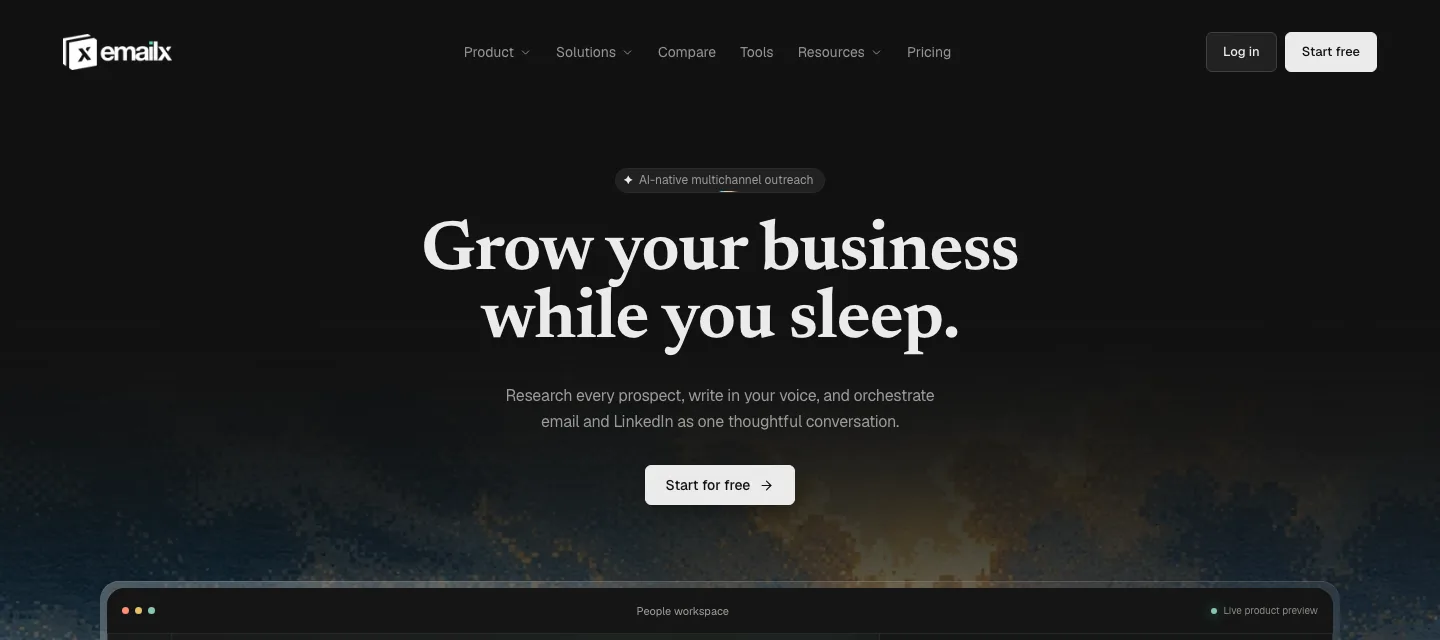
Emailx runs email and LinkedIn from one campaign context without a Chrome extension and without a complex sequence builder to configure. LinkedIn automation is server-side: sequences fire whether or not a browser is open, and the activity stays within LinkedIn's daily limits by design. For users who left or are leaving Reply.io because the Chrome extension is an operational risk, this is the direct answer.
Before writing any outreach message, Emailx reads each contact's LinkedIn profile, recent posts, and visible company signals and produces copy grounded in something specific to that person. The approach is fundamentally different from Jason AI SDR's account-level model: Jason finds and targets accounts and decision-makers from intent signals, but Emailx researches each individual before writing, so the message references something the prospect actually posted or is working on now, not just a signal their account triggered.
Setup is fast. There is no multi-step sequence builder with branch logic to configure. You write a context block once per campaign describing who you are reaching and why, connect your email and LinkedIn accounts, and Emailx handles the per-contact research and writing from there. Email infrastructure including domains, mailboxes, and warm-up is included in the plan rather than a separate subscription.
Best features
- Email and LinkedIn from one campaign, no Chrome extension required
- Per-contact research from LinkedIn profiles and company signals before every message
- Server-side LinkedIn with activity patterns within daily safe limits
- Simple campaign setup: context block once, Emailx researches per contact from there
- Domains, mailboxes, and warm-up bundled in plan
Pricing
- 7-day trial, card required (up to 250 emails included)
- Plans scale with sending volume, not seats: email from $29/month annual, email + LinkedIn from $83/month annual
- Enterprise: custom, book a consultation
Reply.io
Overview
 Product overview
Reply.io is one of the most complete and established sales engagement platforms available, with twelve years of development and over 1,500 G2 reviews averaging 4.6 out of 5. It covers email, LinkedIn via Chrome extension, phone calls, SMS, and WhatsApp in a single sequence builder, and its multichannel builder lets teams design complex flows mixing channels and timing steps with precise control.
Jason has grown well beyond a copy-writing feature since this page was first checked. It's now marketed as "Jason AI SDR Agent 2.0," a standalone $500/month product that draws on 1 billion-plus real-time data points to find prospects showing buying intent, target decision-makers, and run outreach across channels with claimed personalization, priced and positioned closer to a dedicated AI SDR than a plan add-on. Reply.io integrates natively with Salesforce, HubSpot, Pipedrive, and most major CRMs with two-way sync, and has a large library of pre-built playbooks and sequence frameworks.
LinkedIn automation runs through the Reply Chrome extension, which requires a browser to stay open for sequences to fire, and it's no longer bundled into the entry tier: LinkedIn is a $69/month per-account add-on on top of the $49/user/month base plan (or included in the $89/user/month Multichannel plan). Pricing scales per user and per channel, and can climb significantly as team size, channel count, or contact volume grows.
Best features
- Email base plan; LinkedIn via Chrome extension is a separate $69/mo/account add-on
- Jason AI SDR Agent 2.0: a $500/month standalone product using intent signals and account-level data
- Deep two-way integrations with Salesforce, HubSpot, Pipedrive, and major CRMs
- Large library of pre-built playbooks, sequence frameworks, and templates
- Multi-channel branch logic builder with conditional steps and timing controls
Pricing
- Email Volume: from $49/user/month
- LinkedIn automation: +$69/month per account (add-on)
- Multichannel (email+LinkedIn+calls/SMS+WhatsApp): from $89/user/month
- Jason AI SDR Agent: from $500/month, a separate product
- Checked 2026-09-07; verify current tiers on Reply.io's live pricing page before quoting.
What sends teams looking for an Reply.io alternative
The recurring themes in public reviews of Reply.io, before any Emailx comparison.
LinkedIn automation requires a browser open and a Chrome extension active
Reply.io's LinkedIn automation runs through the Reply Chrome extension, which means the browser must stay open for sequences to fire. Reviewers consistently report sequences pausing when the browser closes, unexpected logouts from the extension, and sequences failing silently when the extension loses its session. For anyone running LinkedIn outreach at scale or who needs campaigns to run overnight or across different machines, this is a real operational constraint.
The deeper risk is account safety. Extension-based automation is closer to LinkedIn's detection patterns than server-side cloud automation, and reviewers describe profiles being temporarily restricted after extension behavior triggered a detection flag. For teams running high-volume LinkedIn outreach, or for agencies where a client's LinkedIn account is the asset at stake, the extension model introduces a risk that cloud-based alternatives remove by design. Readers who searched specifically for 'Reply.io alternative no Chrome extension' have usually already hit this problem.
Jason 2.0 targets by intent and account data, not by reading the individual
Jason has grown into a $500/month standalone product ("AI SDR Agent 2.0") that draws on over a billion real-time data points to find accounts showing buying intent (hiring signals, tech usage, expressed interest) and target decision-makers within them. That's genuine progress from a template-and-goal-description tool, and it's worth being accurate about rather than repeating an outdated 'just fills templates' claim.
What Reply.io's own marketing does not claim is that Jason reads an individual contact's recent LinkedIn posts or specific activity before writing to them. The personalization described is intent- and account-level, not per-post research on that one person. Reviewers who describe Jason positively tend to describe strong targeting and account discovery; reviewers who are critical still describe output that reads as competently generated rather than grounded in something the specific recipient did. Teams searching for a Reply.io alternative because their open rates are fine but reply rates are stagnant are usually hitting that gap.
Per-user pricing climbs significantly as team size or contact volume grows
Reply.io's pricing scales per user and per channel: the $49/user/month entry plan is email only, LinkedIn is a separate $69/month per-account add-on, and Jason AI SDR is its own $500/month product on top. Reviewers frequently describe a gap between the entry price and the actual cost once the team adds LinkedIn, more seats, or Jason. The comparison that appears repeatedly in reviews is the difference between what the platform cost at signup and what it cost six months later once channels and seats were added.
This is not concealed pricing: the per-seat structure is documented. The frustration is that the growth curve can be steep at the tier where Jason AI and multi-channel branch logic are available, which are often the features that drove the initial purchase decision. For teams at the scale where Reply.io's cost becomes significant, a per-contact or flat pricing model often produces a lower total bill for the same outreach volume.
The sequence builder is powerful but takes time to configure correctly
Reply.io's multi-step multi-channel sequence builder gives experienced operators significant control over branch logic, conditional steps, timing, and channel sequencing. That control comes with a configuration overhead. Reviewers consistently describe the learning curve as significant, and note that misconfigured steps often go unnoticed until a sequence has been running for a while and the issue surfaces in metrics rather than in the builder.
For larger sales teams with a dedicated operator for sequence configuration, the builder's power is the right tradeoff. For founders and small teams who want outreach running in hours, the configuration overhead is a cost they pay before the first message sends. The sequence builder is not the right criticism of Reply.io for a team with ops capacity; it is the right criticism for a team without it, and that is precisely the profile most likely to search for an alternative.
Email warm-up is not bundled, requiring a separate tool and subscription
Reply.io does not include email warm-up in its plans. Teams that need deliverability warm-up before cold outreach add Mailwarm, Lemwarm, or another third-party warm-up service, which adds a separate tool, a separate subscription, and a configuration step outside the platform. For a team setting up outreach from scratch, this is an additional onboarding task. For a team managing deliverability at scale, it is an ongoing cost to account for separately.
This is not a flaw in how Reply.io is designed: the platform focuses on sequencing and channel coverage rather than infrastructure. But for teams that expected warm-up to be part of an outreach platform's plan, the absence is a surprise. Emailx includes warm-up in the plan, which removes the separate configuration and subscription. Whether that bundling is worth the tradeoffs in channel breadth and CRM integration depth is the calculation each team runs for their own operating model.
Should your team switch?
Start with the work that is difficult today, not the longest feature list.
Switch to Emailx if…
You rely on LinkedIn outreach and want server-side automation that fires without an open browser and without the account risk of a Chrome extension.
You want each message researched and written from that specific person's activity rather than Jason AI's account-level intent targeting.
You are a founder or small team that wants outreach running quickly without spending days configuring branch logic in a multi-step sequence builder.
You want email warm-up included in your plan without a separate third-party subscription to configure and maintain.
Stay with Reply.io if…
You need a built-in dialer for phone prospecting as part of the same sequence as email and LinkedIn. Reply.io has calling built in; Emailx does not.
WhatsApp or SMS are first-class steps in your outreach sequence and you need them in the same platform.
Deep two-way CRM sync with Salesforce or HubSpot, including automatic activity logging and field updates, is a day-one requirement.
You have a dedicated operator for sequence configuration and want the full power of branch logic, conditional steps, and multi-channel timing controls.
What changes when you move from Reply.io to Emailx
The decision becomes clearer when you follow the work from research to reply.
Extension-based LinkedIn, or server-side sequences that run without a browser
Whether extension-based LinkedIn automation is acceptable depends on the team's operating model and risk tolerance. A single operator running modest volume who checks in daily can absorb the management overhead: the extension needs attention, but attention is available. A team that needs sequences to run overnight, across multiple machines, or without a dedicated person watching the browser is in a different position. For agencies where a client's LinkedIn account is the asset under management, an extension reliability problem becomes a client relationship problem.
Reply.io's LinkedIn automation runs through the Chrome extension, which reviewers consistently describe as requiring attention and causing sequences to pause when the browser closes. Emailx runs LinkedIn server-side with no extension installed, so sequences fire whether or not a browser is open and the machine is running. The right question is whether the extension management overhead fits your operating model, or whether a sequence that runs reliably without daily intervention is the constraint you most need lifted.
Account-level intent targeting, or per-contact research before writing
Jason AI SDR and Emailx's personalization approach solve adjacent but different problems. Jason 2.0 finds accounts and decision-makers showing buying intent from over a billion data points, then targets them; its personalization operates at the account and intent-signal level. Emailx reads each individual contact's LinkedIn profile, recent posts, and company signals before writing, and produces copy grounded in what that specific person posted, changed, or is working on right now.
Which approach is more valuable depends on what the team's primary constraint is. If the constraint is finding the right accounts and decision-makers to target, Jason's intent-signal discovery is genuinely useful. If the constraint is reply rate from a list where prospects are accustomed to receiving AI-generated outreach, per-contact research grounded in individual activity is the differentiator. For teams searching for a Reply.io alternative because their targeting is fine but replies are stagnant, the personalization-depth distinction is usually the explanation.
Five channels with calling included, or two channels done reliably
Reply.io's five-channel coverage, including a built-in dialer, is a genuine and well-developed capability. For sales teams where phone prospecting is a first-class channel alongside email and LinkedIn, the dialer's inclusion in the same platform as sequencing is a real advantage that simplifies the tech stack. For teams whose outreach is email and LinkedIn only, the additional channel coverage is a capability they pay for but do not use.
Emailx covers email and LinkedIn. It does not have a dialer, WhatsApp, or SMS. For teams running pure email and LinkedIn outreach, the comparison is whether Reply.io's broader coverage justifies the Chrome extension LinkedIn risk and the per-user pricing at scale. For teams where phone is a real step in the sequence, Reply.io has a clear advantage that no feature comparison on this page should minimize.
Complex sequence builder, or fast setup with a context block
The time between deciding to use an outreach tool and sending the first campaign varies significantly between Reply.io and Emailx, and the gap is not about either tool being poorly designed. It is about who each tool is designed for.
Reply.io's multi-step multi-channel sequence builder gives experienced operators significant control, and teams with a dedicated ops person find that control worth the configuration time. Emailx is designed for a team without that ops capacity: you write a context block describing who you are reaching and why, connect your accounts, and Emailx handles the per-contact research and writing from there. For a founder or a two-to-four person team that needs outreach running before the end of the week, the setup difference is measured in hours versus days. For a larger team with RevOps support, the setup difference is less relevant than which platform's depth produces better outcomes over time.
Warm-up bundled in the plan, or configured as a separate third-party tool
Email deliverability warm-up is a prerequisite for cold email outreach that most outreach platforms handle differently. Some include warm-up as part of the plan. Others expect users to configure and pay for a third-party warm-up service. The difference shows up as an additional tool to manage and an additional monthly subscription to track, which matters more when the team is small and the ops overhead per tool is higher.
Reply.io does not include warm-up in its plans; teams add a separate service such as Mailwarm or Lemwarm. Emailx includes warm-up in the plan. For a team setting up cold email outreach for the first time, Emailx's bundled approach removes one configuration step. For an experienced team that already has a warm-up service running alongside Reply.io and has it calibrated for their domain setup, the bundling difference is less significant than the other criteria on this page.
When switching is not the right move
A good comparison should make the reasons not to switch just as visible.
When Emailx is not the right switch
- You need a built-in dialer for phone prospecting as part of the same sequence as email and LinkedIn. Reply.io has calling built in; Emailx does not, and this is not a near-term roadmap item to plan around.
- WhatsApp or SMS are real first-class steps in your outreach sequences, not theoretical additions you might use someday.
- You need deep two-way CRM sync with Salesforce or HubSpot as a day-one hard requirement, with automatic activity logging at the field level.
- You have an experienced sequence operator and want the full branch logic and conditional step controls that Reply.io's builder provides.
When an Emailx trial is worth running
- LinkedIn is a primary channel and you want sequences that fire without an open browser and without the Chrome extension account risk.
- You want to test whether per-contact research produces a meaningfully better reply rate than Jason AI's account-level, intent-signal-based targeting for your specific list.
- You are a founder or small team that wants outreach running in hours, not after a multi-day sequence configuration process.
- You are paying for a separate warm-up service alongside Reply.io and want to see if the bundled approach simplifies the setup.
Should you switch from Reply.io?
If your outreach is email and LinkedIn and you are not using Reply.io's dialer, WhatsApp, or SMS, you are paying for five-channel coverage to use two. Whether the unused channels are worth the Chrome extension dependency and the per-seat cost at scale is the calculation. Reply.io is the stronger choice when calling is a first-class channel, when WhatsApp or SMS are real sequence steps, or when deep two-way CRM sync with Salesforce or HubSpot is a platform-level requirement. The practical test: run Emailx on one email and LinkedIn campaign against a list where Reply.io's reply rates have felt flat, compare over two to three weeks, and keep Reply.io running in parallel for the calling and CRM-dependent workflows it handles well.
Sources
Verified September 7, 2026. Competitor capabilities and prices change, so each source below records the date it was checked.
- Reply.io pricingChecked September 7, 2026
- Jason AI SDR Agent 2.0 product pageChecked September 7, 2026
- Reply.io reviews on G2Checked August 20, 2026
- Reddit r/coldemail and r/sales, Reply.io discussionsChecked August 20, 2026