
 Julien Paltrinieri

Is Emailx the right Hunter alternative?
Choose Emailx when the reason you are leaving is not Hunter's email finder but the outreach layer bolted on top of it. If Hunter Sequences feels like an add-on to a research tool, if merge tags are the ceiling on personalization, and if you want LinkedIn in the same campaign as email, Emailx is built for the sending job that Hunter was not designed around.
Stay with Hunter when the job you actually need done is finding and verifying professional email addresses. Hunter's domain search, email finder, and verifier are genuinely best-in-class, and Emailx does not find emails at all. If discovery is the hard part of your week and the sending is light, Hunter is the right tool and switching will not help.
Emailx as an alternative to Hunter
The practical differences, before the deeper explanation.
| Outreach tool | Rating | Best for | Starting price |
|---|---|---|---|
| Emailx | ⭐⭐⭐⭐⭐ | Teams that already have the emails and want AI research, per-contact writing, and LinkedIn in one campaign | 7-day trial (card required), from $29/month |
| Hunter | ⭐⭐⭐⭐ | Teams whose core job is finding and verifying professional email addresses, with light sequencing on top | Free plan · paid tiers add credits and campaign sending |
How Emailx differs from Hunter
A closer look at what each product is designed to help a team do.
Emailx
Overview
 emailx.ai
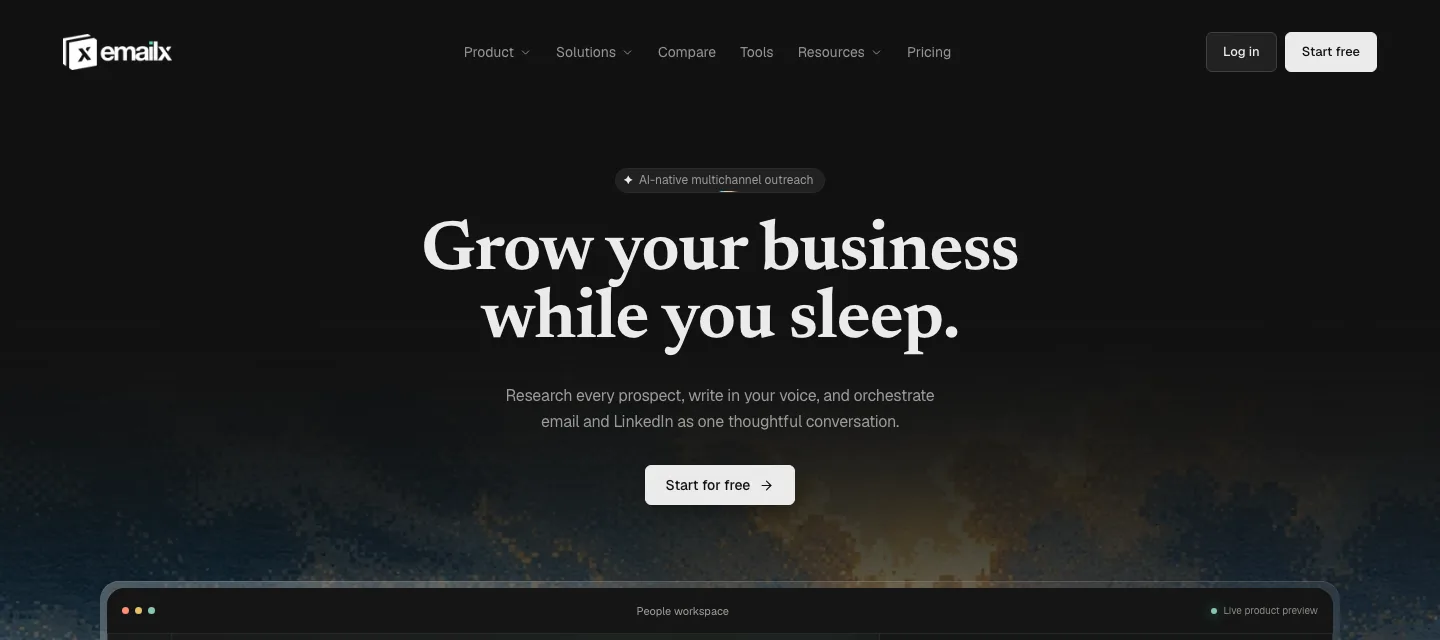
Emailx is built around the research that happens before a message is written. It reads each contact's LinkedIn profile, recent posts, and visible company signals, then writes copy grounded in something specific to that person. You provide a campaign context block once: who you are reaching, why, and what you are offering. Emailx handles the per-contact research and writing from there.
Email and LinkedIn run from the same campaign. There is no separate sequence to build for each channel and no hand-crafted branching logic to maintain. When a prospect replies on either channel, the sequence stops. LinkedIn automation runs server-side, with no Chrome extension and no browser to leave open.
Emailx does not find email addresses. It starts from a contact list you already have, whether that came from Hunter, another finder, or your own data, and it treats deliverability as part of the platform rather than a separate service you bolt on.
Best features
- Per-contact AI research from LinkedIn profile and company signals
- Email and LinkedIn running from one campaign context block
- Server-side LinkedIn automation, no Chrome extension required
- Reply-aware sequences that stop on response from either channel
- Domains, mailboxes, and warm-up bundled in plan
Pricing
- 7-day trial, card required (up to 250 emails included)
- Plans scale with sending volume, not seats: email from $29/month annual, email + LinkedIn from $83/month annual
- Enterprise: custom, book a consultation
Hunter
Overview
 Product overview
Hunter began as a domain email finder: enter a company domain and Hunter surfaces verified professional email addresses, with an email finder by name, bulk lookups, and a verifier alongside it. That core capability is genuinely excellent and remains the reason most people sign up. Hunter is one of the most recognized names in the space, and its reputation is built on finding, not on outreach.
Hunter Sequences is the cold email sequencing layer added on top of the finder. It works, and for light follow-up it is perfectly serviceable. But it was designed after the finder, and the workflow reflects that: a basic template editor, limited sequence logic, and a feel that assumes you are primarily a researcher who sometimes sends email rather than a team running personalized outreach at volume. Hunter sits at 4.4 out of 5 on G2 and 4.6 out of 5 on Capterra (both checked directly, 2026-09-07), and the pattern in those reviews is consistent: high satisfaction with the finder, more mixed satisfaction with Sequences.
The recurring friction in reviews of the sending side is concentrated in a few areas: personalization stops at merge tags, there is no LinkedIn channel, finding credits and campaign sending are separate cost layers, and deliverability tooling is thin relative to purpose-built cold email platforms.
Best features
- Domain search and email finder, widely regarded as best-in-class
- Email verification and bulk finding
- Hunter Sequences: email sequences with merge-tag personalization
- Free plan with a meaningful monthly allowance of searches and verifications
- Chrome extension and integrations for research inside the browser
Pricing
- Free plan: limited monthly searches and verifications
- Paid plans add higher credit volumes and campaign sending
- Finding credits and campaign sending are separate cost layers
- Verify current tier names and prices on Hunter's live pricing page before quoting
What sends teams looking for an Hunter alternative
The recurring themes in public reviews of Hunter, before any Emailx comparison.
Sequences reads as an add-on to a research tool
Hunter Sequences was built on top of the finder, and reviewers who arrived for the finding and expected a strong sequencer describe the outreach product as secondary. The template editor is basic, the sequence logic is limited, and the workflow assumes a researcher who occasionally sends email rather than a team whose main job is outreach. A frequent phrasing in G2 reviews is that Sequences is functional but not impressive, and that they moved to a dedicated tool once outreach became serious.
This is not a claim that Sequences is broken. For a few follow-up steps after a find, it does the job. The pattern is specifically about teams whose center of gravity shifted from finding contacts to running personalized outreach at volume, and who found that the part of Hunter they now leaned on hardest was the part that had received the least product attention.
Personalization stops at merge tags
Hunter Sequences personalizes through merge tags inserted into a template. You write the template, you add the variables, and Hunter fills them in. Hunter has since added an AI Writing Assistant, but its own description of the feature is 'create convincing emails, assisted by AI trained on our research and high-performing sequences,' which is drafting help for the template you write, not a layer that reads a specific prospect's LinkedIn profile, recent posts, or company news and writes a line grounded in that person. The custom-attributes feature sitting next to it in Hunter's own product page is the same merge-tag model with a different name. Reviewers note that reaching meaningful reply rates still requires significant manual research and copywriting per batch, which offsets much of the automation they signed up for.
The frustration is sharpest for teams who found Hunter's discovery so easy that they assumed the sending step would be equally automated. Finding the address turned out to be the solved problem; writing something a specific person would answer was still entirely manual. As generic templated openers drive declining reply rates across the industry, that gap becomes more visible with every campaign.
Email only, with no LinkedIn channel
Hunter Sequences sends email sequences and nothing else. There is no LinkedIn step, no automated connection request, and no LinkedIn message inside the sequence. Teams that want to combine cold email with LinkedIn touches in a single campaign need a second tool, and reviewers who mention multichannel outreach consistently note that Hunter is not built for it.
For a buyer whose motion is email plus LinkedIn, this is not a missing convenience but a structural boundary. It means either accepting email-only outreach or running two tools in parallel and reconciling replies across both, which is the exact overhead most people adopting a sequencer were trying to avoid.
Two cost layers that get confusing at scale
Hunter charges for finding through credits and for campaign sending as part of its plans, and teams that use it for both are effectively paying for two layers at once. Reviewers describe the credit system as confusing and point to costs that were not obvious from the pricing page as outreach volume grew. The finding credits that felt generous on a small plan get consumed faster than expected once a team is enriching lists regularly.
The issue is less that Hunter is expensive and more that the combined bill is hard to forecast. A team that budgeted for a sending tool finds it is also budgeting for a finding tool inside the same subscription, and the two meters move at different rates depending on how the month goes.
Deliverability tooling is thin for higher volume
Hunter Sequences does not offer the inbox rotation, per-domain warm-up management, or detailed deliverability diagnostics that dedicated cold email platforms provide. For low-volume, well-targeted sending this rarely matters. For teams pushing higher volume, reviewers describe supplementing Hunter with external warm-up tools and placement testing services, which adds both cost and another moving part to monitor.
The result is that inbox placement, the thing a cold email team most needs to trust, is the thing Hunter gives them the least visibility into. Reviewers running at scale tend to be the ones who feel this most, because they are also the ones for whom a quiet drop in placement is most expensive.
Should your team switch?
Start with the work that is difficult today, not the longest feature list.
Switch to Emailx if…
You have the emails already and the frustration is the outreach layer, not the finding. You want a product built around sending rather than a sequencer added to a research tool.
You want AI that researches each contact and writes per contact from their LinkedIn profile and company signals, not merge tags you fill into a template by hand.
You want LinkedIn automation, connection requests and follow-up messages, running in the same campaign as your email rather than in a separate tool.
You want deliverability handled inside the product instead of stitching external warm-up and placement testing onto Hunter.
You do not need email finding, or you are happy to keep a finder for that one step.
Stay with Hunter if…
Finding and verifying professional email addresses is the core job. Hunter's domain search, finder, and verifier are best-in-class and Emailx does not find emails at all.
You send a low volume of individually written, tracked emails and value Hunter's simplicity over a structured campaign engine.
Hunter's free plan covers your needs and you would rather not add another subscription for outreach you do lightly.
What changes when you move from Hunter to Emailx
The decision becomes clearer when you follow the work from research to reply.
Per-contact research, or a filled-in template
The deciding question for most teams leaving Hunter Sequences is where personalization starts. When the openers a team sends read as templates with a name and a company dropped in, reply rates settle at the level generic outreach earns, no matter how good the addresses were. The buyer's real question is whether the tool helps them say something a specific person would answer, or only helps them mail-merge faster.
Hunter fills a template with the variables you configured: you write the copy, Hunter inserts the fields. Emailx starts from the prospect instead. Before writing, it reads the contact's LinkedIn profile, recent posts, and visible company signals and produces copy grounded in something specific to that person, from a campaign context block you set once. For a team that found Hunter's finding effortless and its sending still entirely manual, this is the difference that removes the manual research step rather than relocating it.
One campaign across email and LinkedIn, or email alone
Whether LinkedIn belongs in the sequence is a structural choice, not a feature preference. For many buyers today the reply comes from the second or third touch across channels, so a tool that sends email only caps the motion regardless of how well it sends. The question is whether the team wants one campaign that spans channels or is content with email as the whole of it.
Hunter Sequences is email only, with no LinkedIn step. Running LinkedIn alongside it means a second tool and reconciling replies across both. Emailx runs email and LinkedIn from one campaign context block, with per-contact writing at each step and a sequence that stops on the first reply from either channel. For a buyer whose motion is genuinely multichannel, this is the line that decides it: Emailx treats LinkedIn as part of the same campaign, and Hunter leaves it outside the product entirely.
A sequencer by design, or campaigns on a finder
Every tool carries the shape of the problem it was built to solve, and that shape shows up in daily use long after the demo. A product built around research optimizes for finding and verifying; a product built around outreach optimizes for what happens after the address is known. The buyer feels the difference in which tasks are one click and which take five.
Hunter's center of gravity is the finder, and Sequences sits on top of it. Emailx has no finder and is built entirely around the sending motion: research, per-contact writing, multichannel steps, reply handling, and deliverability. Neither shape is wrong. The right one depends on whether the hard part of a team's week is discovering contacts or turning known contacts into replies. Teams looking for a Hunter alternative have usually crossed from the first job to the second.
One subscription, or credits plus sending
How a tool meters usage shapes how predictable the bill is, which matters more to a growing team than the headline price. A model that charges for two different activities on two different meters is harder to forecast than a single subscription, especially when usage of each varies month to month.
Hunter charges for finding through credits and for campaign sending within its plans, so a team using both pays across two layers and, reviewers report, sometimes gets surprised by how fast the finding credits go. Emailx is one subscription for the outreach motion, with domains, mailboxes, and warm-up bundled in, and no per-contact credit layer for the sending itself. If a team still needs a finder, that cost sits in a separate tool where it is at least visible on its own line, rather than sharing a meter with the sending.
Where Hunter is genuinely irreplaceable
It is worth being plain about the one thing this comparison cannot argue away. Emailx does not find email addresses. It has no domain search, no email finder by name, and no verifier. If the hard, valuable part of a team's work is discovering and validating contact data, Hunter is one of the best tools available for it, and switching away from the finder would be a real loss.
The honest recommendation for those teams is not to leave Hunter but to change what they use it for. Keep Hunter, or another finder, for discovery, and let Emailx handle the outreach that follows: research, per-contact writing, email and LinkedIn together, and deliverability. The two tools solve adjacent problems, and a team that needs both is better served by the specialist at each end than by asking either one to cover the whole span.
When switching is not the right move
A good comparison should make the reasons not to switch just as visible.
When Emailx is not the right switch
- Finding and verifying email addresses is your primary job. Emailx does not find emails, so it cannot replace Hunter's finder or verifier.
- You rely on bulk domain search or list verification as a regular workflow. Those are Hunter capabilities Emailx does not offer.
- You send a handful of individually written, tracked emails and value simplicity over a structured campaign engine.
- Hunter's free plan already covers your usage and you do not want to add a subscription for outreach you do lightly.
When an Emailx trial is worth running
- You have done the finding and want a product built around the outreach that follows, not a sequencer added to a research tool.
- Reply rates have plateaued on merge-tag templates and you suspect the copy still reads as templated no matter how well the addresses were found.
- You want LinkedIn and email in one campaign rather than running Hunter for email and a second tool for LinkedIn.
- You are bolting external warm-up and placement testing onto Hunter and would rather have deliverability handled inside the product.
Should you switch from Hunter?
Hunter is the right tool when the job that matters is finding and verifying professional email addresses. Its finder is genuinely best-in-class, and Emailx does not compete with it because Emailx does not find emails at all. Where Hunter is weaker is the step after the find: Sequences is a capable add-on to a research tool rather than a purpose-built outreach engine, personalization stops at merge tags, there is no LinkedIn channel, and deliverability tooling is thin. Emailx is the closer fit when that outreach step is the frustration, because it is built around per-contact research and writing, email and LinkedIn in one campaign, and managed deliverability. For many teams the honest answer is not one or the other: keep Hunter for finding, and run Emailx for the outreach that follows. Try Emailx on one campaign with a list you already found, and compare the replies against what the same list earns through Sequences.
Sources
Verified September 7, 2026. Competitor capabilities and prices change, so each source below records the date it was checked.
- Hunter pricing pageChecked September 7, 2026
- Hunter Sequences product page (rebrand from Hunter Campaigns)Checked September 7, 2026
- Hunter reviews on G2Checked August 21, 2026
- Hunter reviews on TrustpilotChecked August 21, 2026
- Reddit r/sales, Hunter discussionsChecked August 21, 2026