
 Julien Paltrinieri

Is Emailx the right Klenty alternative?
Choose Emailx when the reason you are leaving Klenty is not personalization depth alone (Klenty has added its own AI research and writing layer since this page was first written) but the platform built around it: a CRM-centric, increasingly calling-first sales engagement suite with per-user pricing on its higher tiers, a dialer, call coaching, and account-based-selling tooling most lean teams do not need. Emailx stays purpose-built for the narrower job of email-and-LinkedIn outreach, without a CRM to configure and without paying for a calling stack you will not use.
Stay with Klenty when your team is already on Salesforce, HubSpot, or Pipedrive and needs tight, native CRM sync for lead routing, activity logging, and pipeline reporting, or when calling is a real part of your outbound motion. Klenty's dialer, AI call coaching, and account-based selling tools go well beyond what a focused email-and-LinkedIn tool like Emailx is built for, and Emailx is not trying to replace your CRM operations layer.
Emailx as an alternative to Klenty
The practical differences, before the deeper explanation.
| Outreach tool | Rating | Best for | Starting price |
|---|---|---|---|
| Emailx | ⭐⭐⭐⭐⭐ | Founders and lean sales teams who want per-contact AI research, automated LinkedIn, and no CRM setup to run a campaign | 7-day trial (card required), from $29/month |
| Klenty | ⭐⭐⭐⭐ | SDR and inside-sales teams that want email, calling, and CRM sync in one AI-assisted platform | From $50/month; per-user on higher tiers, verify on Klenty's pricing page |
How Emailx differs from Klenty
A closer look at what each product is designed to help a team do.
Emailx
Overview
 emailx.ai
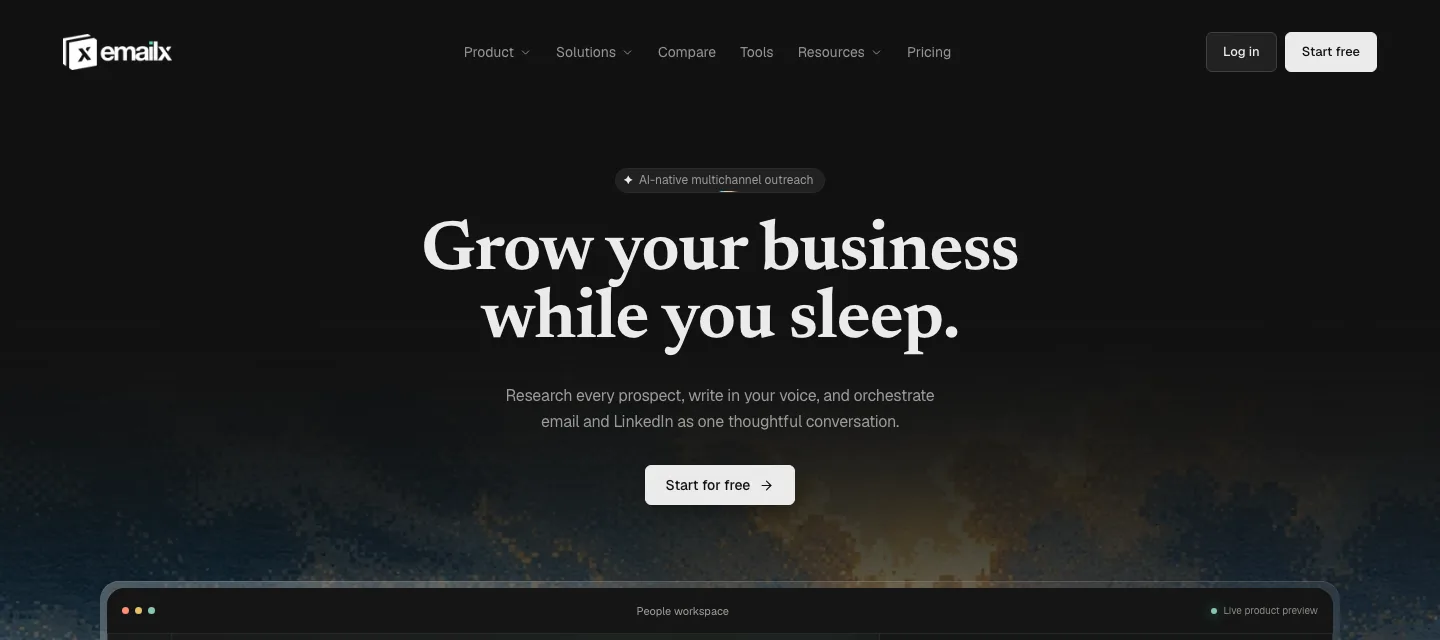
Emailx is built around the research that happens before a message is written. It reads each contact's LinkedIn profile, recent posts, and visible company signals, then writes copy grounded in something specific to that person. You provide a campaign context block once: who you are reaching, why, and what you are offering. Emailx handles the per-contact research and writing from there.
Email and LinkedIn run from the same campaign. LinkedIn connection requests and follow-up messages are automated steps, not reminders to open a tab, and each step is written per contact. When a prospect replies on either channel, the sequence stops. LinkedIn automation runs server-side, with no Chrome extension and no browser to leave open.
Emailx runs campaigns directly, without requiring a CRM integration to function. You import contacts, write the context block once, and the AI handles research and personalization from there. For a team that is not running Salesforce or HubSpot, there is no integration to set up and no sync to maintain.
Best features
- Per-contact AI research from LinkedIn profile and company signals
- Automated LinkedIn steps in the same campaign as email, not task reminders
- Runs without a CRM integration to configure or maintain
- Reply-aware sequences that stop on response from either channel
- Domains, mailboxes, and warm-up bundled in plan
Pricing
- 7-day trial, card required (up to 250 emails included)
- Plans scale with sending volume, not seats: email from $29/month annual, email + LinkedIn from $83/month annual
- Enterprise: custom, book a consultation
Klenty
Overview
 Product overview
Klenty has repositioned since this page was first written: it now markets itself as an 'AI Sales Engagement Platform' built around a dialer-first outbound motion, not just an email-and-CRM cadence tool. Alongside cold email and multichannel sequences, it now includes Parallel and Power Dialers (up to 350 calls per hour), AI voicemail and IVR detection, AI call coaching, and deep native CRM integrations across Salesforce, HubSpot, Pipedrive, and Zoho. It holds a strong public rating, 4.6 out of 5 on G2 across 391 reviews (checked directly, 2026-09-07).
The personalization story has changed too. Klenty's entry plan still personalizes through merge fields and liquid conditional templates a human configures. But Klenty has added Agentic Cadences and AI Account Research on top of that: AI that researches an account across 150-plus public data sources, including LinkedIn, drafts a tailored first email per prospect, and can refresh a stale template automatically, all confirmed directly on Klenty's own product pages. This closes real ground on what used to be a clear-cut differentiator; which plan includes it is not obvious from the public pricing grid, so verify before quoting.
This page does not argue Klenty is a bad product; if anything it has gotten more capable since this page was first researched. It argues that Klenty is now a broader, calling-first, CRM-centric platform, and teams searching for a Klenty alternative are usually looking for something narrower: a focused email-and-LinkedIn tool without a dialer, call coaching, and account-based-selling stack to configure, and without per-user pricing on the tiers that include the deeper AI and multichannel features.
Best features
- Cold email and multichannel sequences with automated follow-ups
- Parallel and Power Dialers with AI voicemail/IVR detection and call coaching
- Agentic Cadences: AI account research and per-prospect email drafting (plan tier unconfirmed)
- Deep native CRM sync: Salesforce, HubSpot, Pipedrive, Zoho
- Merge fields and liquid templating on the entry-level plan
Pricing
- Starter: $50/month billed annually, volume-based (15,000 contacts, 75,000 emails/month), not per seat
- Growth: $70/user/month billed annually, adds calling and multichannel channels
- Plus: $99/user/month billed annually, adds account-based selling and deeper AI/call coaching
- Verify current tiers and feature inclusion on Klenty's live pricing page before quoting
What sends teams looking for an Klenty alternative
The recurring themes in public reviews of Klenty, before any Emailx comparison.
AI personalization has arrived on Klenty too, but it sits inside a bigger, calling-first platform
Klenty's original template-and-merge-tag model is still there on its entry plan, but Klenty has since added Agentic Cadences and AI Account Research: AI that researches an account across 150-plus data sources including LinkedIn, drafts a tailored first email per prospect, and can add personalization to a stale template automatically, all confirmed directly on Klenty's own product pages. The gap this page used to describe here, no AI writing, is no longer accurate as a blanket claim about Klenty.
What's different now is where that AI sits and what it comes bundled with. Klenty's AI research draws from account-level data across 150-plus sources; Emailx's research reads the specific prospect's live LinkedIn profile and recent posts before writing. Both are genuine approaches to per-contact relevance, and public reviews of Klenty's newer AI features are still thin since the capability is recent, so it is worth trialing both rather than assuming either is ahead on quality. The more durable difference is what the AI is attached to: on Klenty it sits inside a broader per-user, calling-and-CRM-centric platform; on Emailx it is the whole product, with no dialer, call coaching, or CRM sync to configure around it.
LinkedIn used to be a task reminder, not automation; verify this before assuming either way
As of this page's original research, Klenty's LinkedIn steps were task reminders: the sequence prompted a person to send a connection request or message, rather than the platform sending it directly. Klenty's product has changed substantially since then, and its current pricing page lists 'Social Selling' as a Growth-plan feature without detail on what it automates. Recent G2 reviews describe 'LinkedIn automation' and scaling LinkedIn outreach through Klenty in terms that read as more than a checklist reminder, which suggests this may have changed. Verify what Klenty's Social Selling feature actually sends versus reminds in a live demo before relying on either the old description or an assumption that it is now fully automated.
Emailx runs LinkedIn connection requests and follow-up messages as automated steps in the same campaign as email, each written per contact, server-side, with no browser extension. If LinkedIn carrying real automated weight in the sequence is the requirement, confirm exactly what Klenty's current Social Selling feature does before deciding based on either product's older reputation.
CRM-centric setup adds real overhead
Klenty's strength is its CRM sync, and for teams that need it, that is exactly the point. But reviewers frequently describe the initial CRM integration as time-consuming and the ongoing sync as fragile, with occasional mismatches that take support time to resolve. The platform assumes a CRM is at the center of the workflow, and much of its value is expressed through that connection.
For a founder or a lean team that does not run Salesforce or HubSpot at all, this becomes overhead without a payoff. They are paying for, and maintaining, infrastructure built around a CRM they do not use, simply to get at the sequencer underneath. The tool is engineered for a CRM-connected sales org, and teams outside that profile carry its weight without getting its main benefit.
Support responsiveness is a recurring complaint
Support and onboarding quality is one of the most common negative categories in Klenty's reviews. Several reviewers describe slow responses to bugs, billing issues that took weeks to resolve, and onboarding that leaned heavily on self-service. For a team with dedicated sales-ops support, that friction is absorbed. For a small team with nobody whose job is to chase a ticket, it compounds quickly.
This theme matters most in combination with the CRM-integration overhead above. A fragile sync is a manageable problem when support is fast and a costly one when it is not, and the reviewers who feel the support gap most sharply are often the same lean teams for whom the CRM machinery was already more than they wanted to run.
UI and deliverability quirks users cannot easily diagnose
Reviewers mention UI inconsistencies, occasional email duplication errors, and deliverability behavior that is hard to inspect from inside the product. Warm-up and inbox placement are not Klenty's core focus, which leaves users relying on external tools to understand whether their messages are landing, and guessing when something looks off.
None of these are catastrophic on their own, which is consistent with Klenty's strong overall rating. The pattern is that when placement dips or a send behaves unexpectedly, the product gives the user little visibility into why, so diagnosis moves outside the tool. For teams that treat deliverability as central rather than incidental, that opacity is a real limitation.
Should your team switch?
Start with the work that is difficult today, not the longest feature list.
Switch to Emailx if…
You want AI-researched, per-contact personalization without paying for or configuring a dialer, call coaching, and account-based-selling stack you will not use.
You want confirmed LinkedIn automation as part of the campaign rather than verifying what a newer, undocumented Social Selling feature actually sends.
You do not run a CRM, or you do not want to set up and maintain a CRM integration just to use a sequencer.
You want one predictable price rather than per-user pricing on the tiers that include the deeper AI and multichannel features.
You want deliverability handled inside the product rather than diagnosed with external tools.
Stay with Klenty if…
You are already on Salesforce, HubSpot, or Pipedrive and need tight, native CRM sync for lead routing and activity logging.
Calling is a real part of your outbound motion and you want a dialer, AI call coaching, and account-based selling in the same platform as email.
You have dedicated sales-ops support to manage the integration and maintain a cadence library.
You need structured reporting tied to CRM stage and pipeline, not just reply-rate signals.
What changes when you move from Klenty to Emailx
The decision becomes clearer when you follow the work from research to reply.
Two different shapes of AI research, bundled with two different platforms
Both products now do per-contact AI research and writing, so the question underneath a Klenty alternative search has shifted. It is no longer whether the tool has AI writing at all; it is where that AI draws its signal from and what platform it is attached to.
Klenty's Agentic Cadences research an account across 150-plus data sources and draft a tailored email from that. Emailx reads the specific prospect's live LinkedIn profile and recent posts, from a campaign context block you set once. The research inputs differ, and reviews of Klenty's newer AI feature are still too thin to say which produces better replies, so trial both rather than assume. What is settled is the platform each sits inside: Klenty's AI is one layer of a broader, calling-and-CRM-centric suite with per-user pricing on its higher tiers; Emailx's is the whole product, with nothing else to configure around it.
LinkedIn automation, confirmed either way
Multichannel means different things in different tools, and the difference is operational, not cosmetic. A LinkedIn step that runs on its own adds real throughput to a campaign; a LinkedIn step that only reminds a person to act adds a task to someone's day. The buyer's real question is whether the second channel scales with the tool or with the team's manual capacity.
Klenty's LinkedIn steps were, as of this page's original research, task reminders rather than automated sends. Klenty's product has changed enough elsewhere since then, and recent reviews describe 'LinkedIn automation' in terms that suggest this may no longer be accurate, that this specific claim needs a fresh demo rather than a carried-forward assumption in either direction. Emailx runs LinkedIn connection requests and follow-up messages as automated steps in the same campaign as email, each written per contact, server-side, with no extension, confirmed as current. For a team that wants LinkedIn automation without verifying a competitor's feature list first, that certainty is itself worth something.
A CRM at the center, or a campaign that runs without one
Whether a sequencer assumes a CRM is a structural question that determines how much setup and maintenance a team signs up for. For an org built around Salesforce or HubSpot, tight sync is the whole value. For a founder or a lean team without a CRM, the same assumption is pure overhead: infrastructure to configure and keep healthy in exchange for a benefit they will never use.
Klenty is built around CRM sync, and much of its value is expressed through that connection. Emailx runs campaigns directly: import contacts, set the context block, and the AI handles research and personalization with no CRM integration to stand up or maintain. The trade is real and cuts both ways. A CRM-connected sales org should weight Klenty's native sync as a genuine strength; a team that does not run a CRM will find Emailx removes a layer of setup and fragility they never wanted in the first place.
Fewer moving parts to monitor, or more to maintain
A sequencer earns trust by running without supervision, and every additional dependency is another thing that can quietly break. CRM sync, external warm-up, and a support queue you rely on to fix them are all parts that have to keep working together for the sequence to behave. The buyer's question is how many of those moving parts they are willing to own.
Klenty's reviewers describe fragile CRM sync, occasional UI and duplication quirks, and support that can be slow when one of those parts fails, which is manageable with dedicated ops and costly without it. Emailx has a simpler execution model with fewer external dependencies: deliverability is handled in the product, there is no CRM sync to drift, and LinkedIn runs server-side. That simplicity limits configurability, but for a lean team it also shrinks the surface area of things to monitor and chase.
Placement inside the product, or diagnosed outside it
Inbox placement is the outcome a cold email team most needs to trust, and trust depends on visibility. A tool that treats deliverability as incidental leaves the team guessing when replies go quiet, and pushes diagnosis into separate warm-up and testing services. The question is whether placement is something the product helps you see and manage, or something you infer from outside it.
Klenty's warm-up and deliverability tooling is not the core product focus, and reviewers describe behavior that is hard to inspect from inside the platform, so teams lean on external tools to understand placement. Emailx treats inbox placement as part of the platform, with domains, mailboxes, and warm-up bundled in. For a team that has watched a Klenty cadence send while remaining unsure whether it landed, having deliverability managed in one place removes both a moving part and a source of uncertainty.
When switching is not the right move
A good comparison should make the reasons not to switch just as visible.
When Emailx is not the right switch
- You need tight, native CRM sync with Salesforce, HubSpot, Pipedrive, or Zoho for lead routing and activity logging. Emailx does not replace a CRM operations layer.
- Your reporting has to tie to CRM stage and pipeline rather than reply-rate and campaign signals.
- Your process depends on liquid conditional templating and structured A/B testing as first-class tools.
- You run a large synced list where cadence management across a CRM matters more than per-contact research.
When an Emailx trial is worth running
- You want AI-researched personalization without a dialer, call coaching, and account-based-selling stack bundled in and paid for whether you use it or not.
- You want confirmed LinkedIn automation rather than needing a demo to find out what Klenty's Social Selling feature currently does.
- You do not run a CRM, or you are tired of maintaining an integration just to reach the sequencer.
- You are diagnosing deliverability with external tools and would rather have placement handled inside the product.
Should you switch from Klenty?
Klenty is the right tool when a team is already on Salesforce, HubSpot, or Pipedrive and needs native CRM sync for lead routing, activity logging, and pipeline reporting, or when calling is a real part of the outbound motion; its dialer, AI call coaching, and account-based selling go well beyond a focused email-and-LinkedIn tool. It is a solid, well-rated platform for exactly that profile, and it has added its own AI research and writing layer since this page was first written, so 'no AI personalization' is no longer a reason to leave it. Emailx is the closer fit when the frustration is the platform Klenty's AI now sits inside: a CRM-centric, calling-first suite with per-user pricing on its higher tiers, rather than a focused tool built around email and LinkedIn alone. Emailx researches and writes per contact from live LinkedIn signals, runs LinkedIn as a confirmed automated channel, and works without a CRM integration to configure or keep in sync. Run Emailx on one campaign where the job is lean email-and-LinkedIn outreach, and compare the replies and the setup overhead against a matched Klenty sequence.
Sources
Verified September 7, 2026. Competitor capabilities and prices change, so each source below records the date it was checked.
- Klenty pricing pageChecked September 7, 2026
- Klenty homepage (AI Sales Engagement Platform repositioning)Checked September 7, 2026
- Klenty Agentic Cadences product pageChecked September 7, 2026
- Klenty reviews on G2Checked September 7, 2026
- Klenty reviews on TrustpilotChecked August 21, 2026
- Reddit r/sales, Klenty discussionsChecked August 21, 2026